Gain timely investment insights on:
By subscribing, you agree to receive research insights and marketing communications from us, and to the terms of our Privacy Policy . You also consent to the collection, use, processing, disclosure and transfer of your personal data for the purposes described in our Privacy Policy . You may unsubscribe at any time.
To place a Limit Order, go to the Place Order page.
New UTRADE Web Platform, UTRADE SG Mobile App
Step 1: Fill in the details of your order. At Order Type, select “Limit Order” when you choose your order type.
Step 2: At Validity, select either “Day”, “FOK”, “FAK”, “GTD” or “GTM”.
Step 3: Once you are ready, click on “Preview & Confirm” to submit your order.
Old UTRADE Web Platform
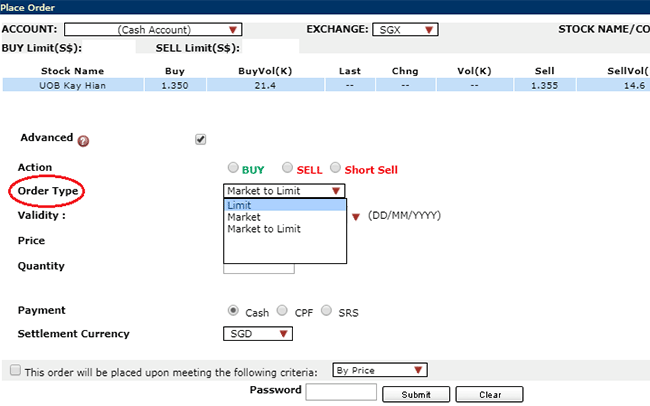
Step 1: Choose “Market to Limit” order under Order Type
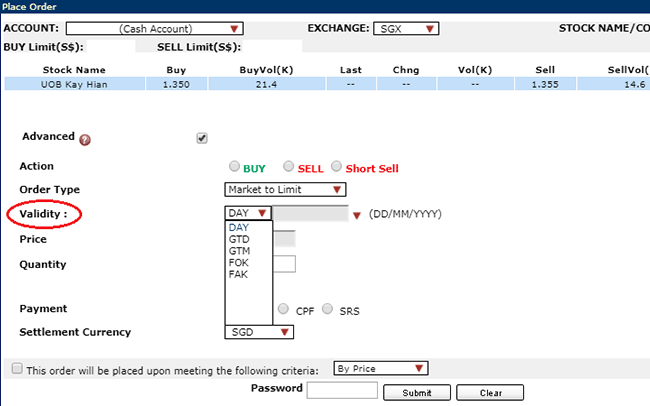
Step 2: Choose Validity: Day, FOK, FAK, GTD or GTM
Step 3: Enter Quantity, Payment, Settlement Currency
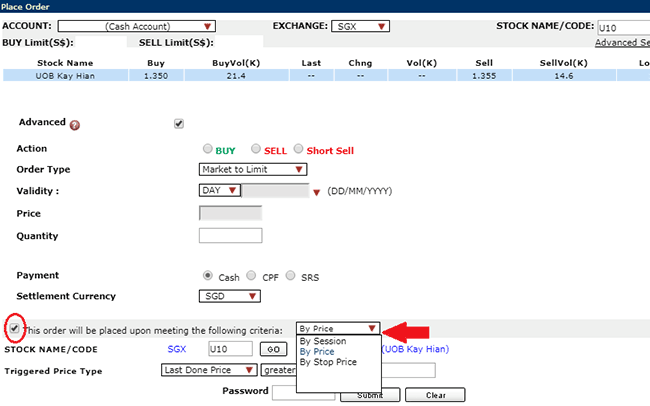
Step 4: If selecting Conditional orders, tick on the check box for order triggering criteria and enter the triggering criteria accordingly.